


Feedback already happens at every club. It happens on the sideline, in the car park and at pick-up. It just never gets written down, so when a parent asks how their child is getting on, there’s nothing to show them but memory.
Coach – Player Feedback gives that conversation somewhere to live. Coaches record a voice note or type a few lines in the TFP app. It’s turned into a clear written report, and parents see it the moment it’s shared.
How do coaches provide their feedback?
Open any player’s profile and you’ll find a new Player Feedback row near the top. Tap Add Feedback, then record or type. Three prompts keep you on track: what went well, what to focus on next, and a goal to work towards.

Need to stop halfway? Save Draft keeps your progress, and drafts are only visible to you.
How is the report generated?
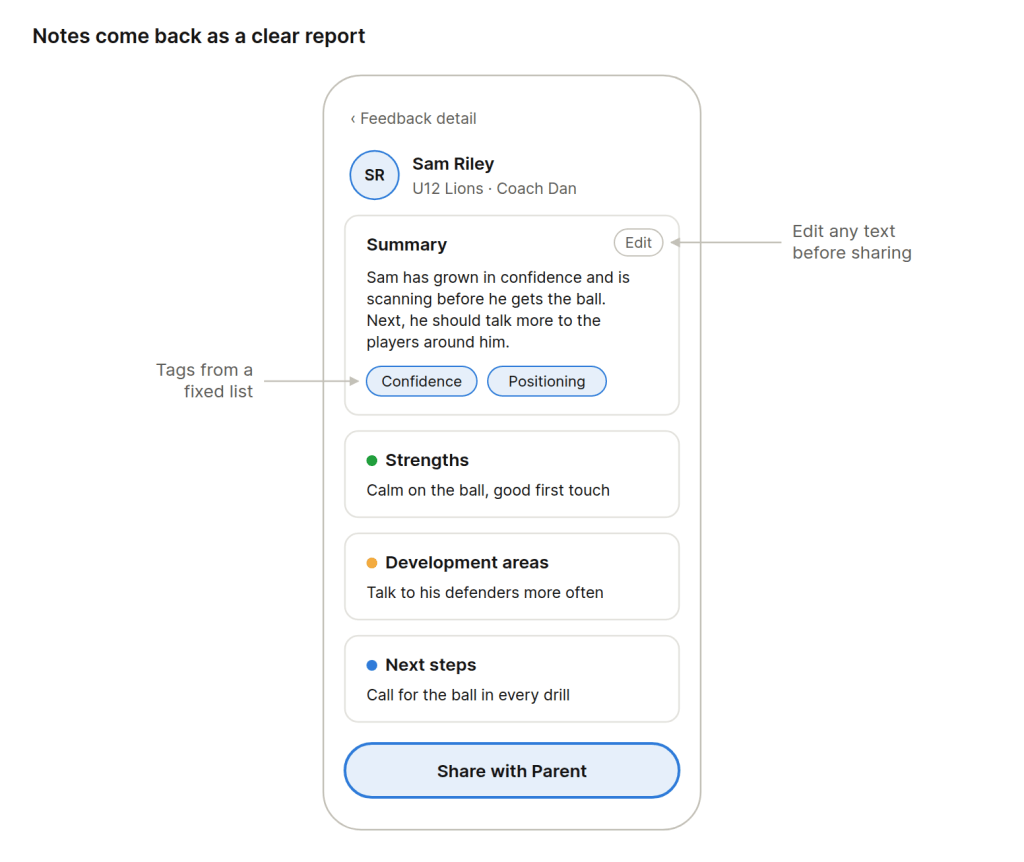
Tap Generate Report and your notes come back as a summary, strengths, development areas and next steps. Tags from a fixed list, such as Passing, Positioning, Confidence and Teamwork, sit alongside. Check it over, edit anything you like, then tap Share with Parent.
What do parents see?
Parents get a notification the moment feedback is shared. Everything lives on a new Feedback tab on their child’s Player Profile, from every team their child plays for.
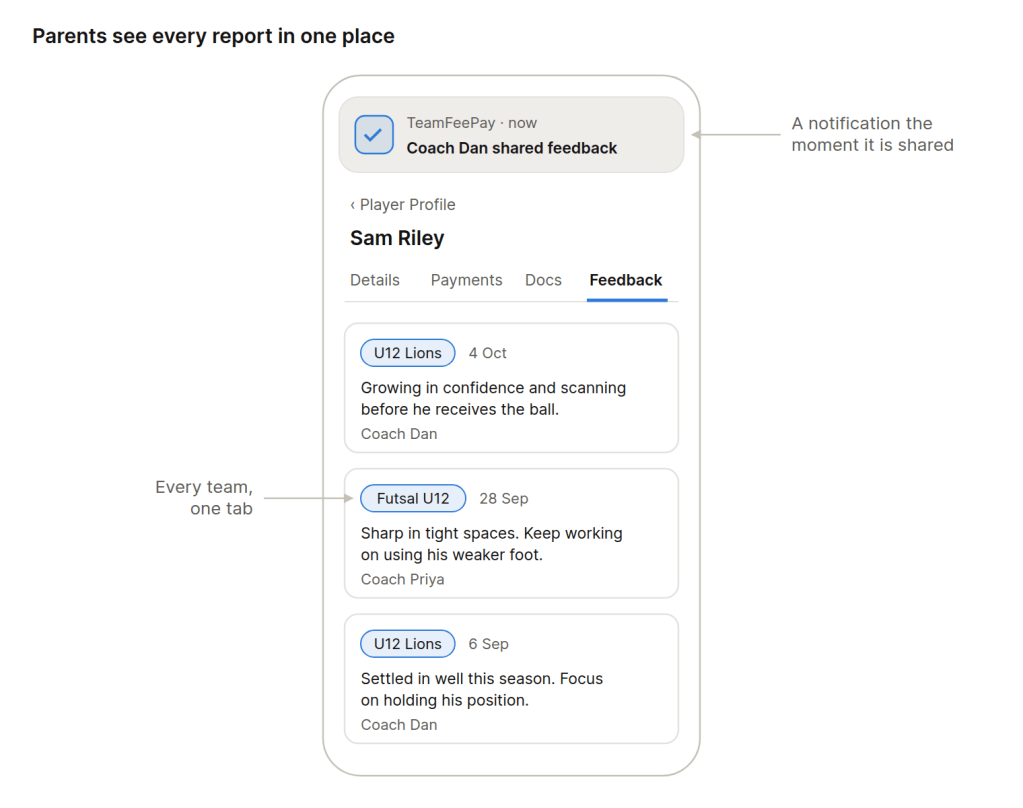
Feedback belongs to the player. If a coach leaves, it stays with the player, and if the player moves teams, it goes with them. Coaches only see feedback for the teams they coach.
If you’re not currently using TeamFeePay, and would like to understand more about how we can help your club, you can book a free demo – we would love to chat with you.